
PEK TV
A media center that is simple for regular people and deep for power users. Your own library, plugins you can trust, and a screen that looks like it was made for the TV.
What it does
Everything below is in the code today.
Your library, everywhere
Local folders plus SMB, NFS, FTP, WebDAV and UPnP/DLNA shares, with automatic discovery. Reads Kodi-style NFO files and artwork first, then asks TMDb only for what is missing.
A player that stays out of the way
libmpv playback, automatic subtitles, Skip Intro / Skip Recap and an Up Next card near the end of an episode.
Music from your own folders
Albums, artists, songs, playlists and search. Tags and cover art are read straight from MP3, FLAC, Ogg, Opus and M4A files, with a queue and a player bar.
Built for the couch
D-pad, remote and gamepad support with a 10-foot look and navigation sounds. The same app adapts to phones with swipe pages and a bottom bar.
A dashboard you design
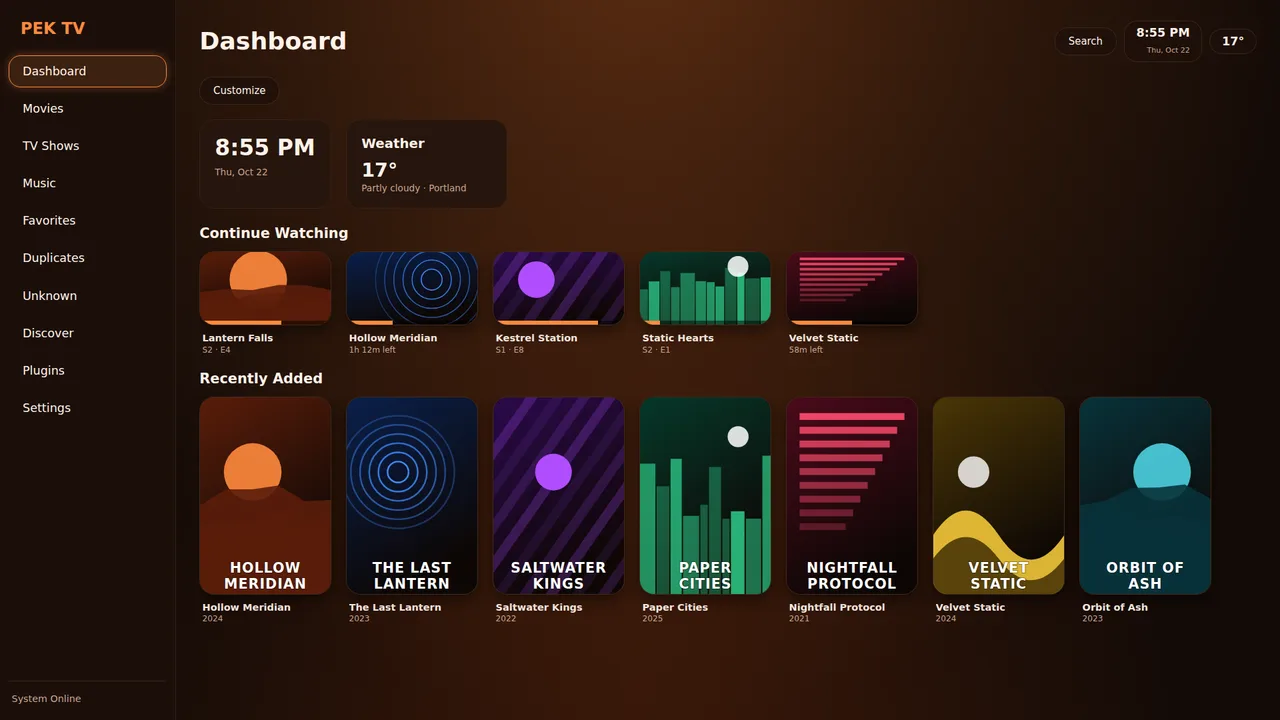
Choose and order widgets (Clock, Weather, Continue Watching, Recently Added, Favorites, plugin tiles). Saved per profile.
Profiles and PEK Cloud
Netflix-style profiles with their own history, favorites and look. Optional cloud sign-in syncs history, resume points, favorites and settings.
Skins
Install a skin from a .zip or GitHub. Ships with PEK Ember, Mono, Cream, Night red, Green and Neon. Skins can't run code or reach the network.
Sandboxed plugins
Plugins declare what they may do. No permission listed means no access. Three trust tiers: Official, PEK Store and install-from-GitHub.
Ratings you own
Rate movies, episodes and shows from 1 to 10 stars. Ratings show on posters, belong to each profile, sync through PEK Cloud and export as a CSV that Letterboxd, Trakt and Simkl can import.
Music mode
Switch the app to music only, laid out like a music streaming app: Home, Search, Your Library and Settings.
Updates built in
PEK TV checks GitHub when it starts and installs a newer build after you confirm, then shows what changed once.
Live TV through plugins
A plugin supplies the data; the player does the work, with a channel switcher, a guide and a now / next banner.
Where PEK TV goes beyond Kodi
Kodi is a mature, huge project with a vast add-on world. PEK TV does not try to copy it: it takes different decisions on safety, setup and design. These are differences, based on how each project documents itself.
Plugins can't surprise you
Every plugin lists its permissions and hosts, and the install screen shows them in plain language before anything is installed.
Less setup
Automatic subtitles, NFO-first metadata with TMDb filling the gaps, auto-discovered network shares, and a built-in updater that checks GitHub at start.
One app, phone to TV
A single Flutter UI with swipe pages on phones, a sidebar and D-pad focus on TV, and four layouts to choose from.
| PEK TV | Kodi (general) | |
|---|---|---|
| Plugin permissions | Declared in plugin.json and shown on the install screen. Nothing listed = no access. | No per-add-on permission model; add-on code generally runs with Kodi's own privileges. |
| Network access | Only the HTTPS hosts a plugin lists. No IP addresses, no localhost. | Whatever the add-on's code opens. |
| Plugin code | Python screens and backends pass an automatic safety scan (no eval, open, os, socket...). | Python scripts and some binary add-ons, not scanned. |
| Plugin look | Plugins describe screens with PEK's own building blocks, so every plugin feels native on a TV and a phone. | Add-ons use Kodi's window and list model. |
| Installing from GitHub | In the app: type owner/repo. Marked unverified, same sandbox and permission screen. | Repositories and zip files. |
| Subtitles | Automatic: the best match is fetched and switched on, no account needed. A shared cloud cache stretches the daily download limit. | Via add-ons, usually with your own account. |
| Skip Intro / Up Next | Built into the player. | Mostly via add-ons or skins. |
| Skins | Colors and corner size only. A skin containing CSS or code is refused, so a skin can never run anything. | Full skins with XML and scripting. |
| Profiles + sync | Profiles with passcodes plus optional PEK Cloud sync of history, resume points and favorites. | Profiles are local; sync needs external setup. |
| Phone and TV in one app | One Flutter UI; layouts Classic, Top bar, Wall and Compact. | Primarily a 10-foot interface. |
Honest note: Kodi supports far more platforms, formats and add-ons today, and PEK TV is a young beta. PEK TV currently runs on Android; Windows, Linux and macOS are planned.
See it in action
PEK TV at 1920×1080 on a TV, and 1080×1920 on a phone.
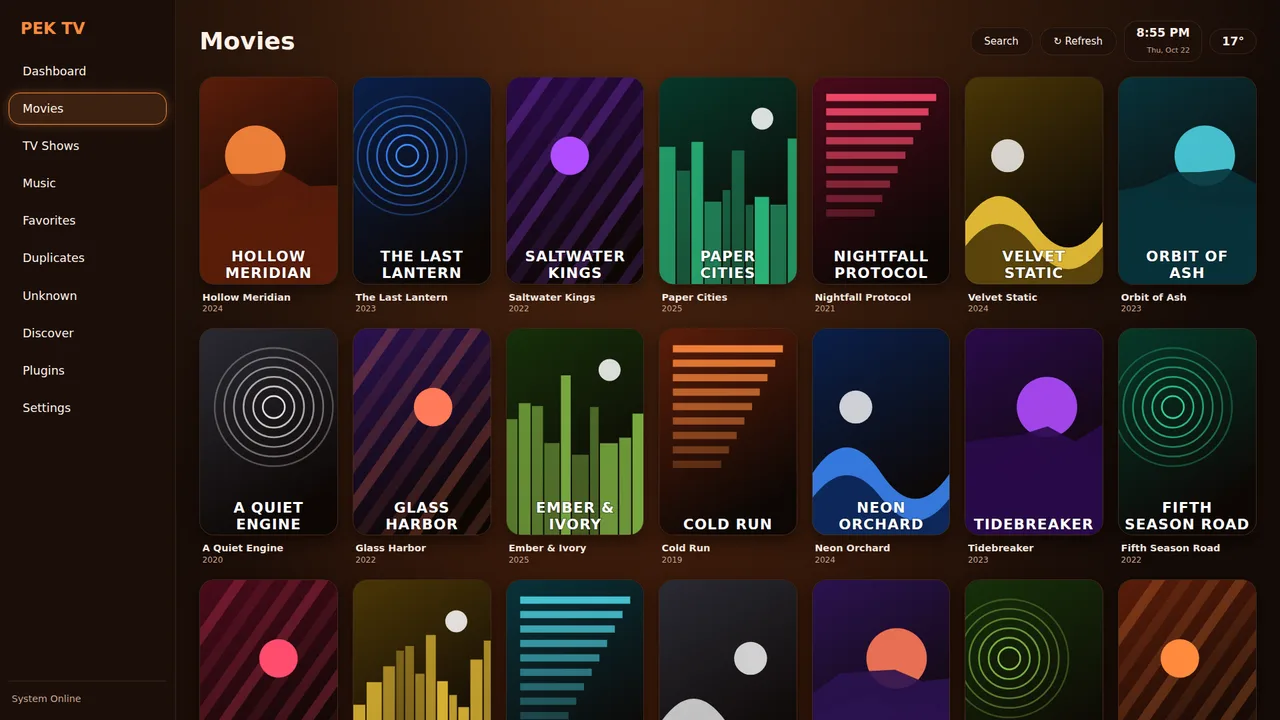
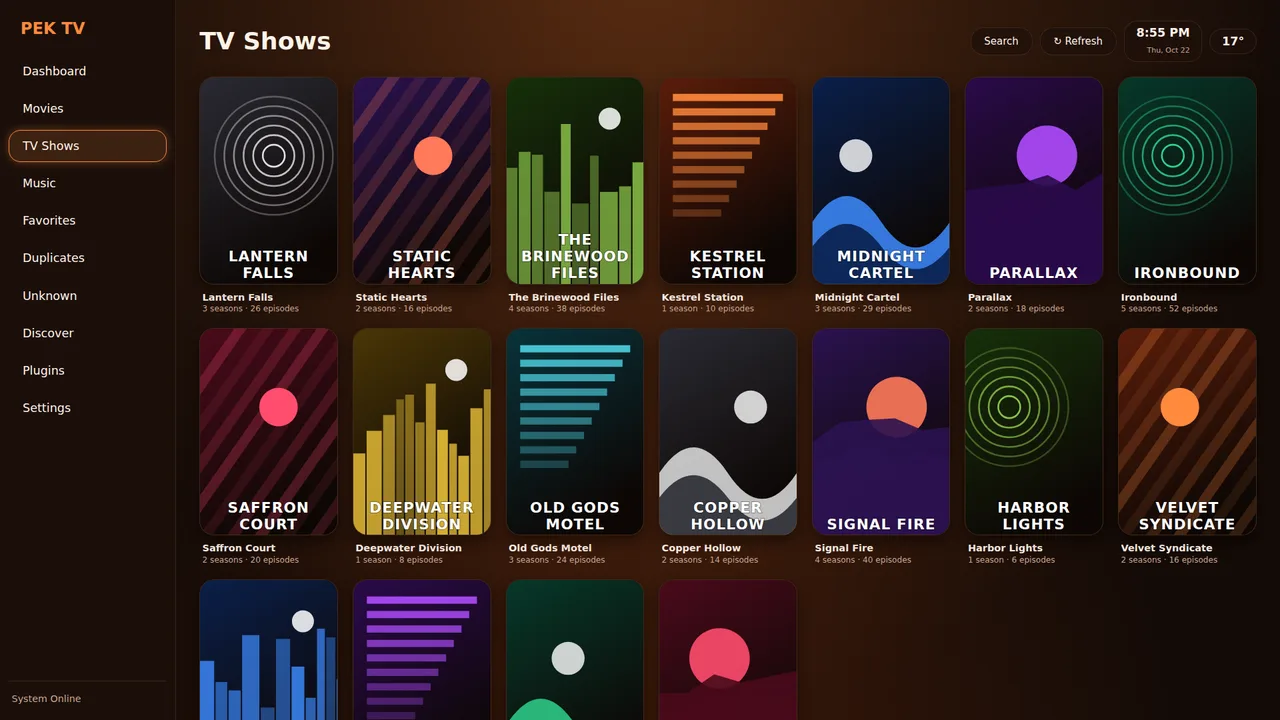
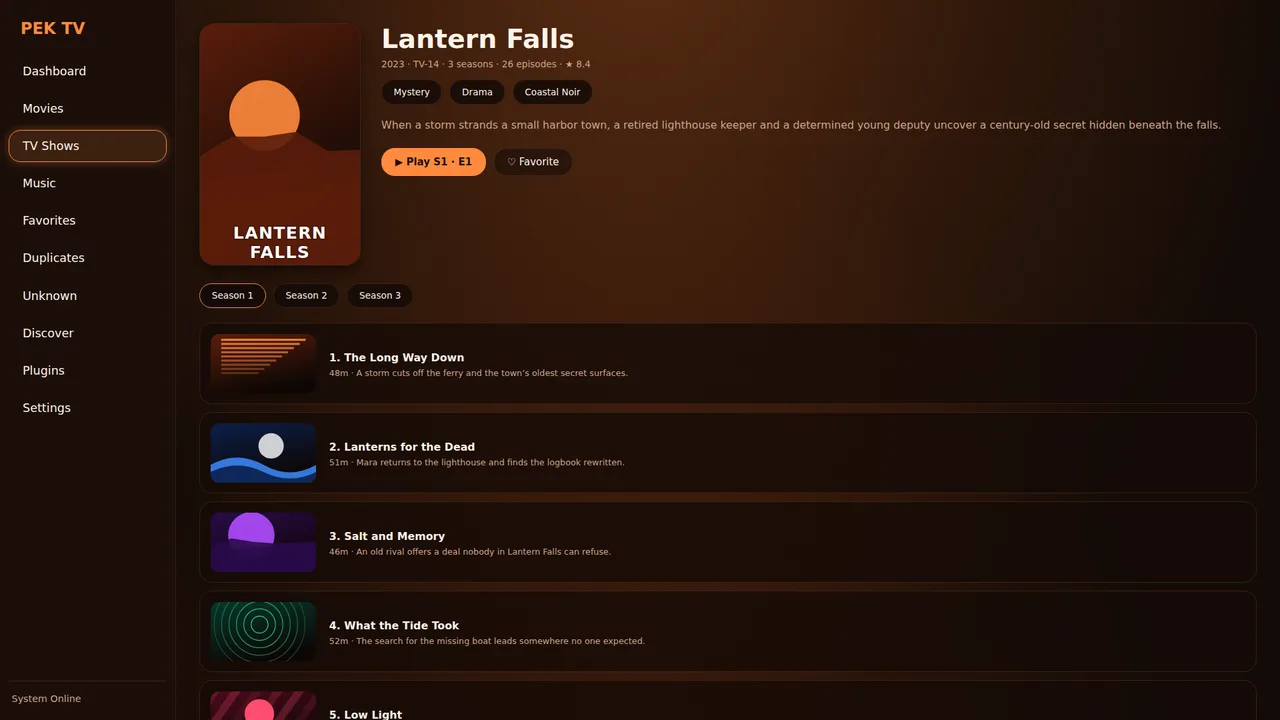
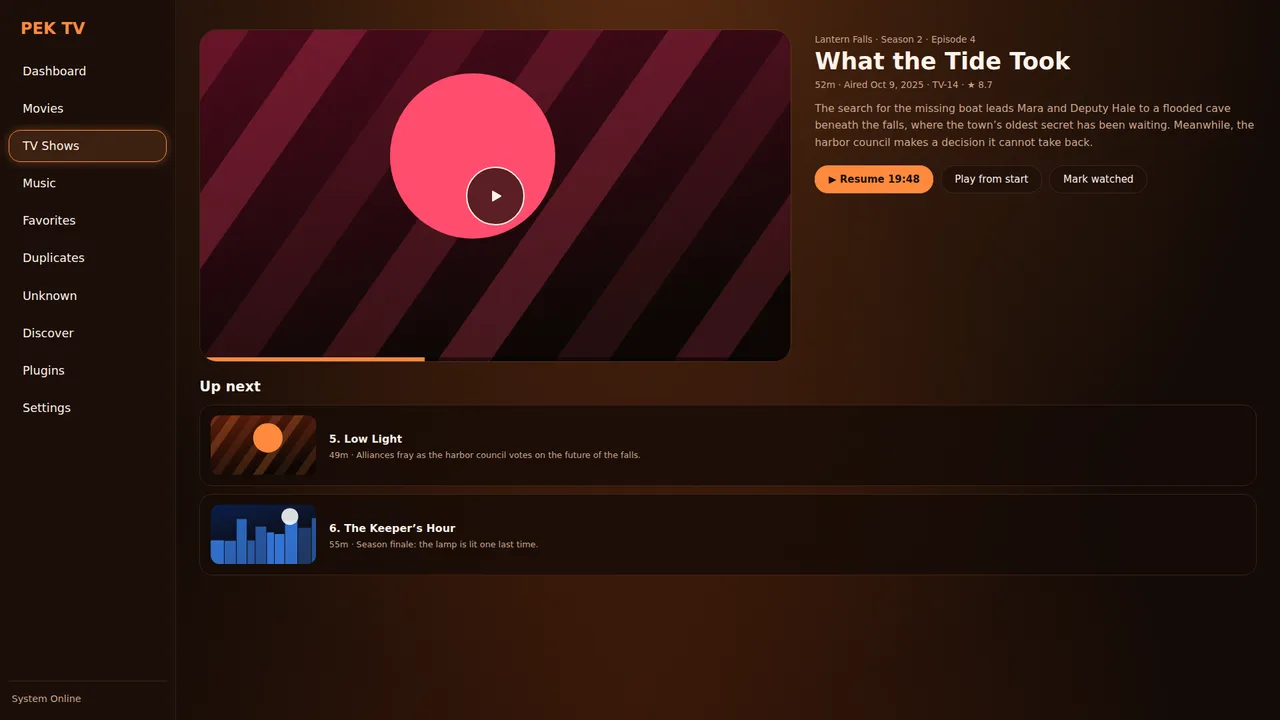
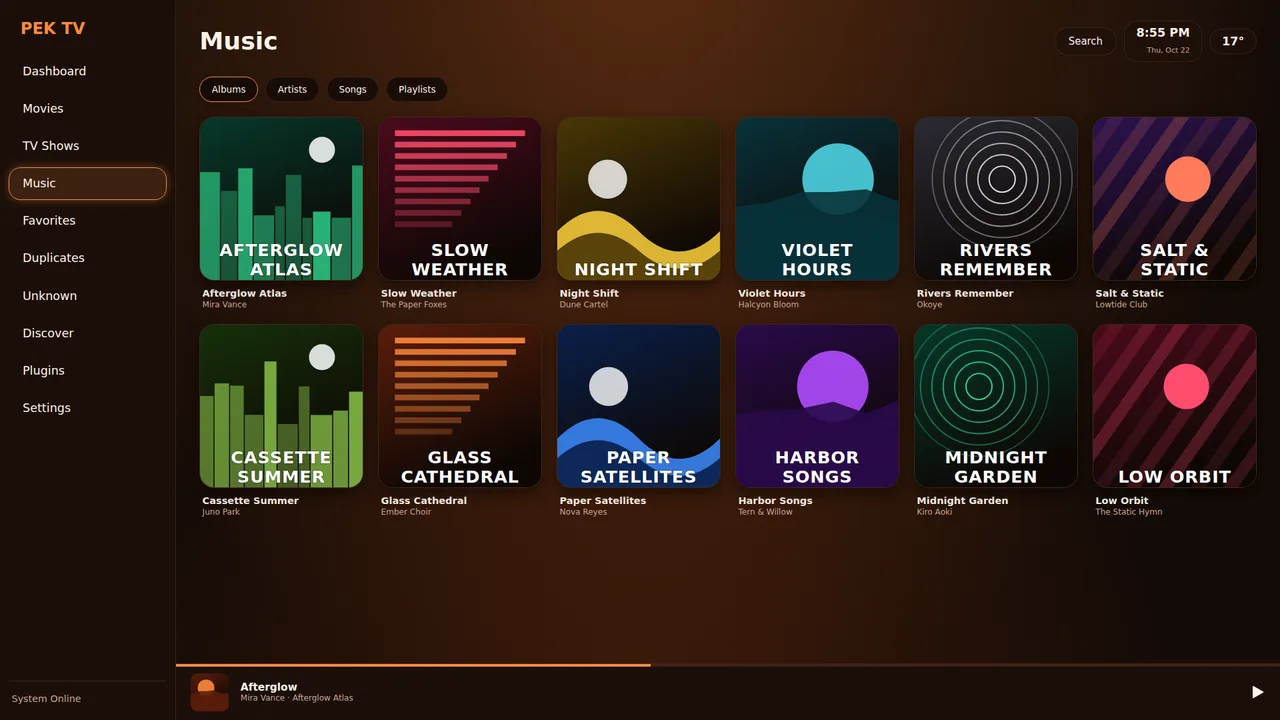
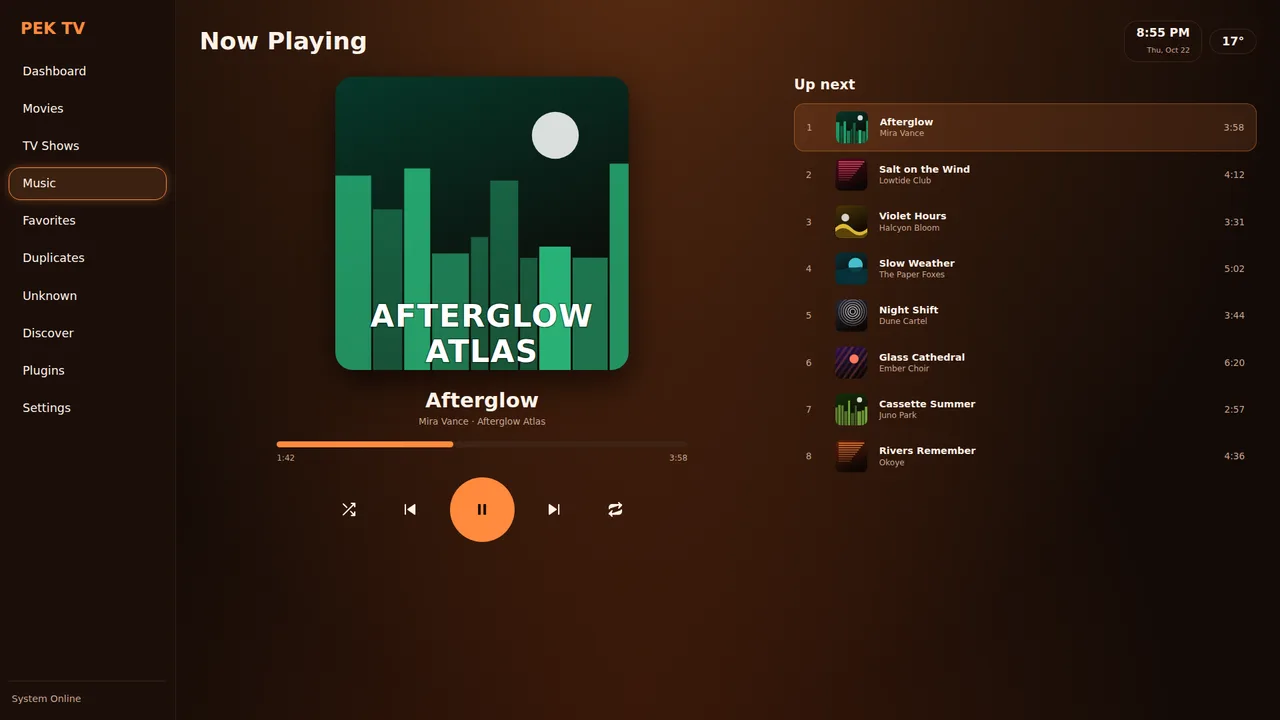
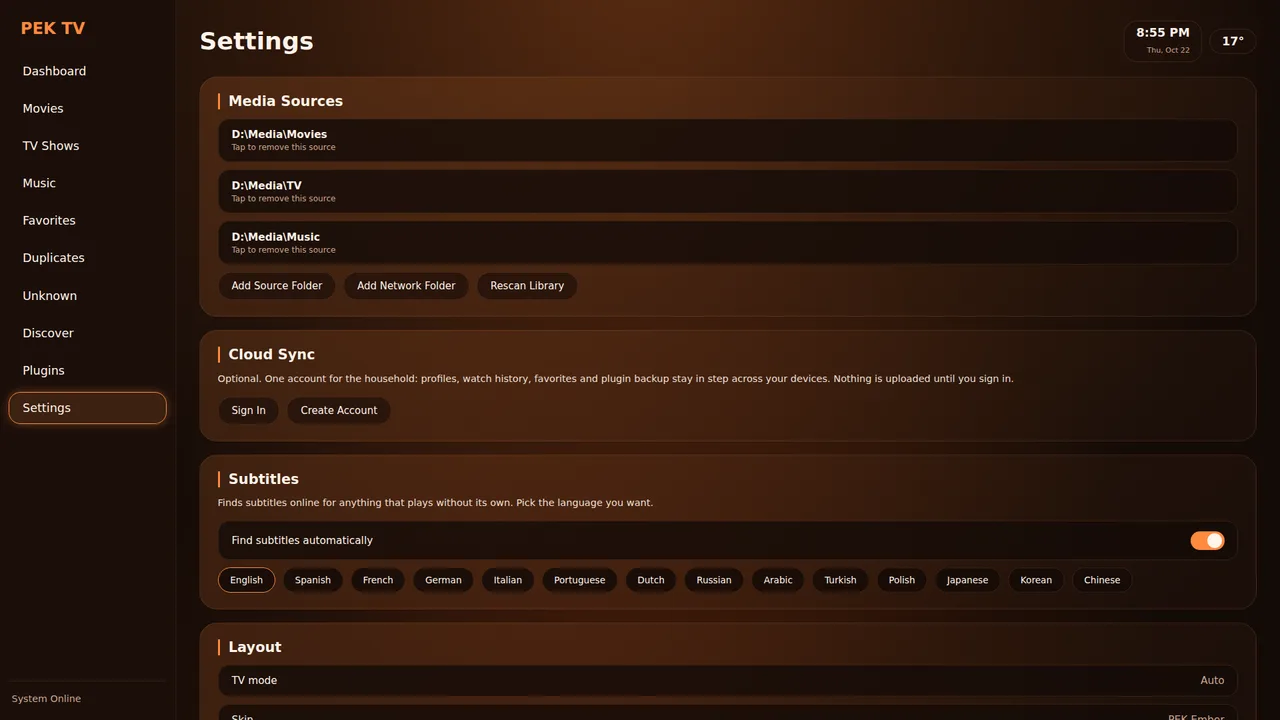
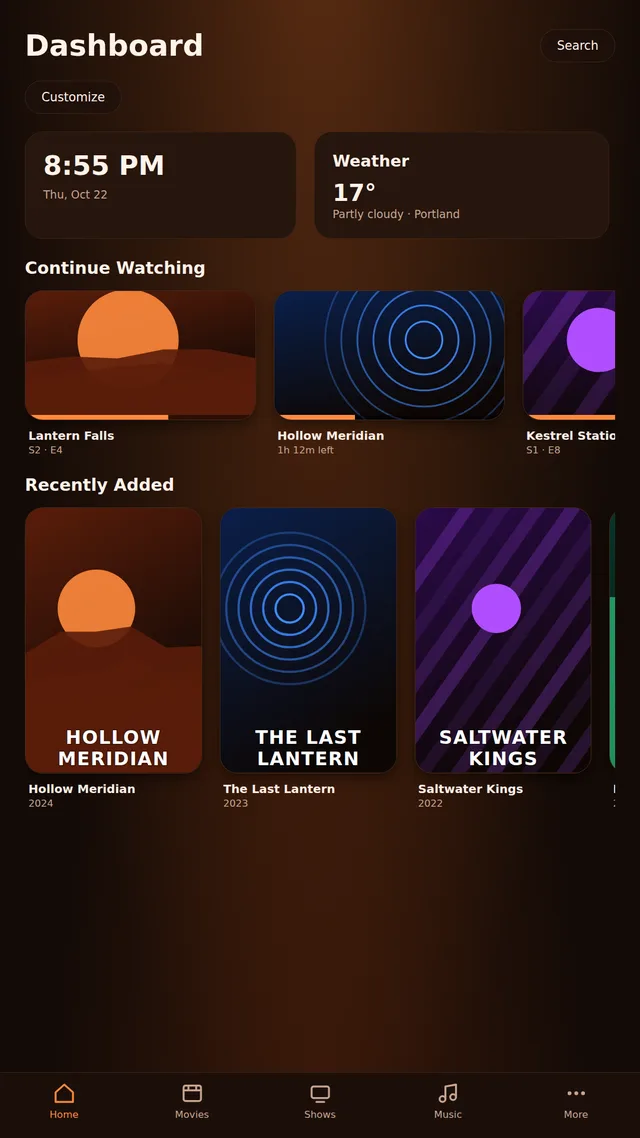
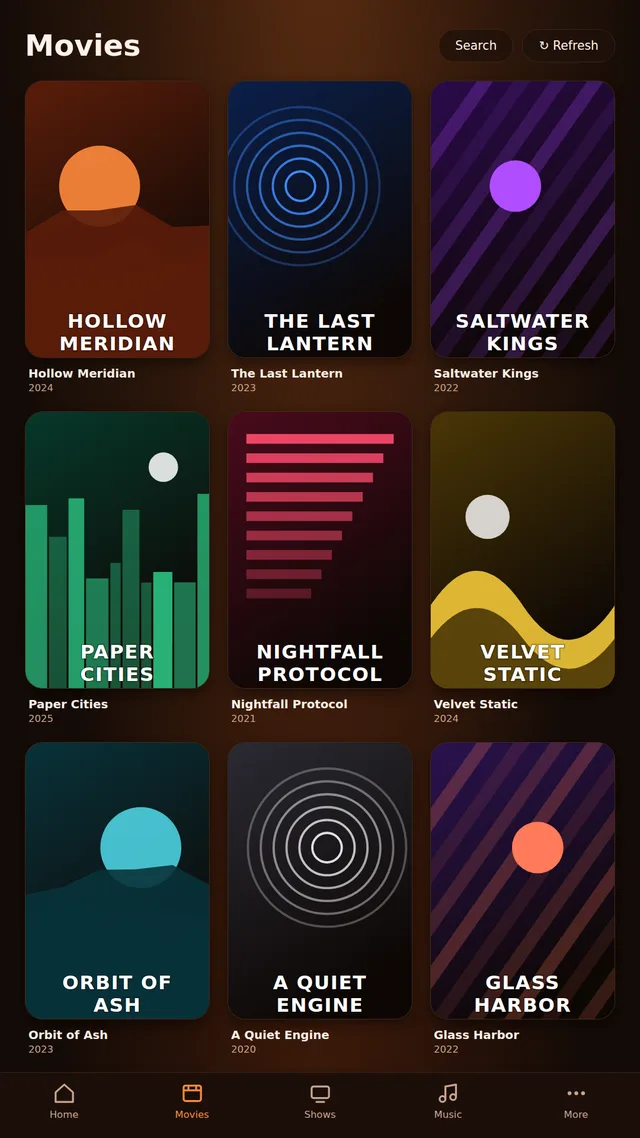
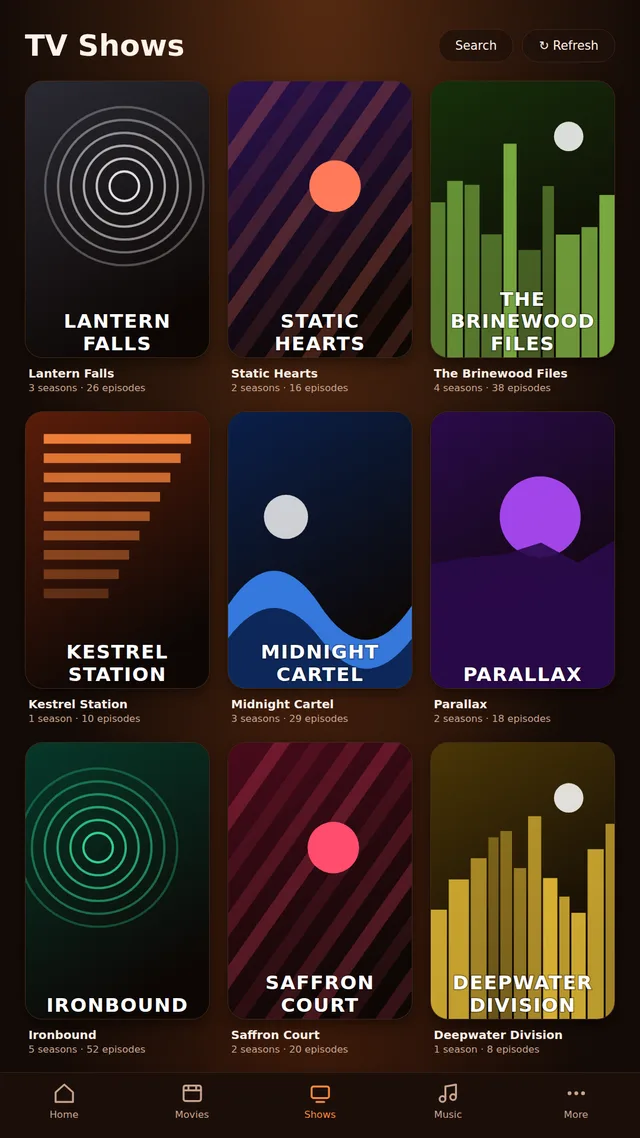
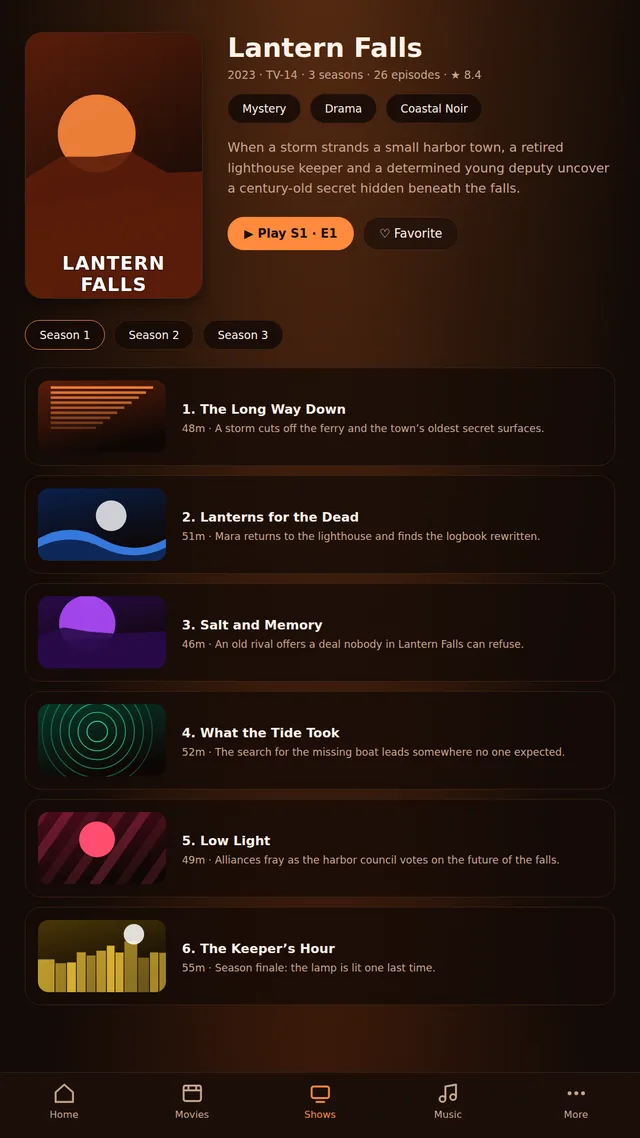
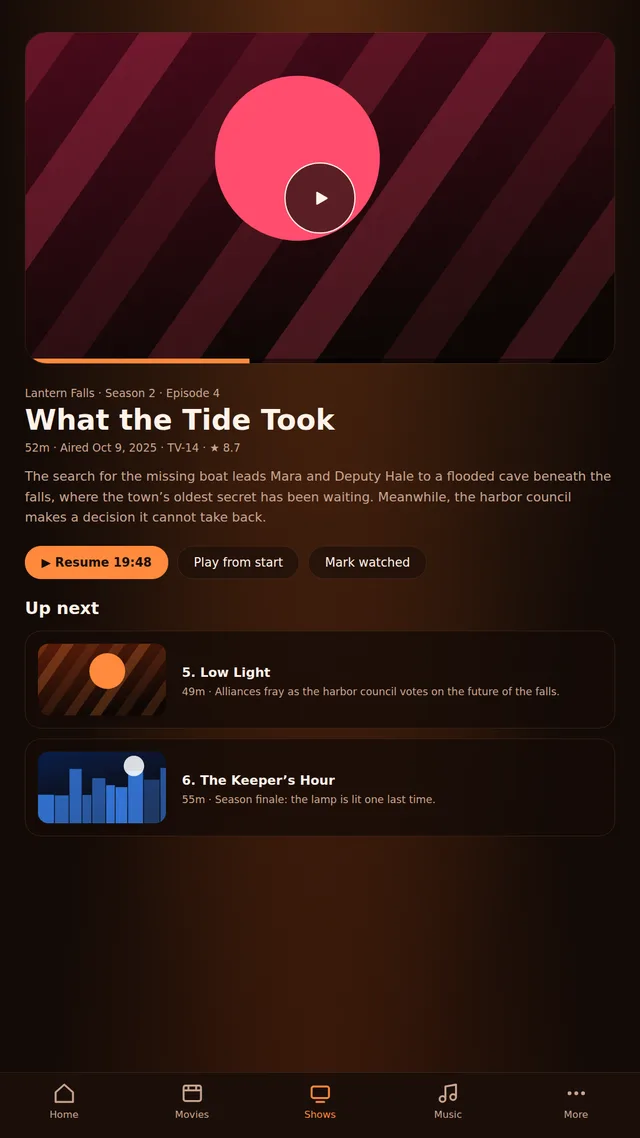
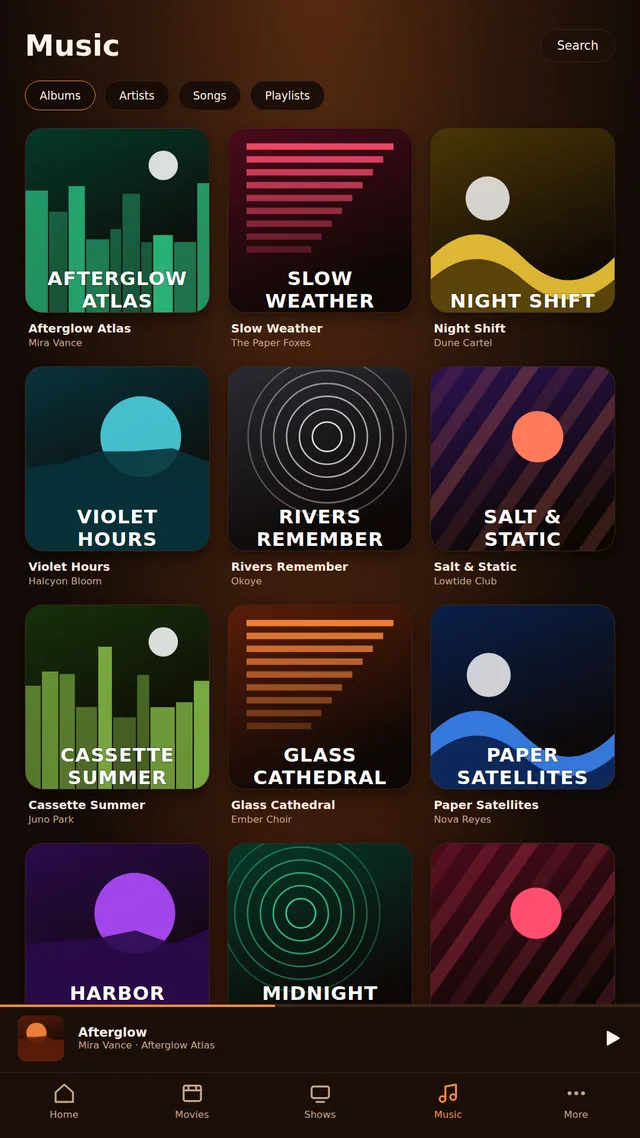
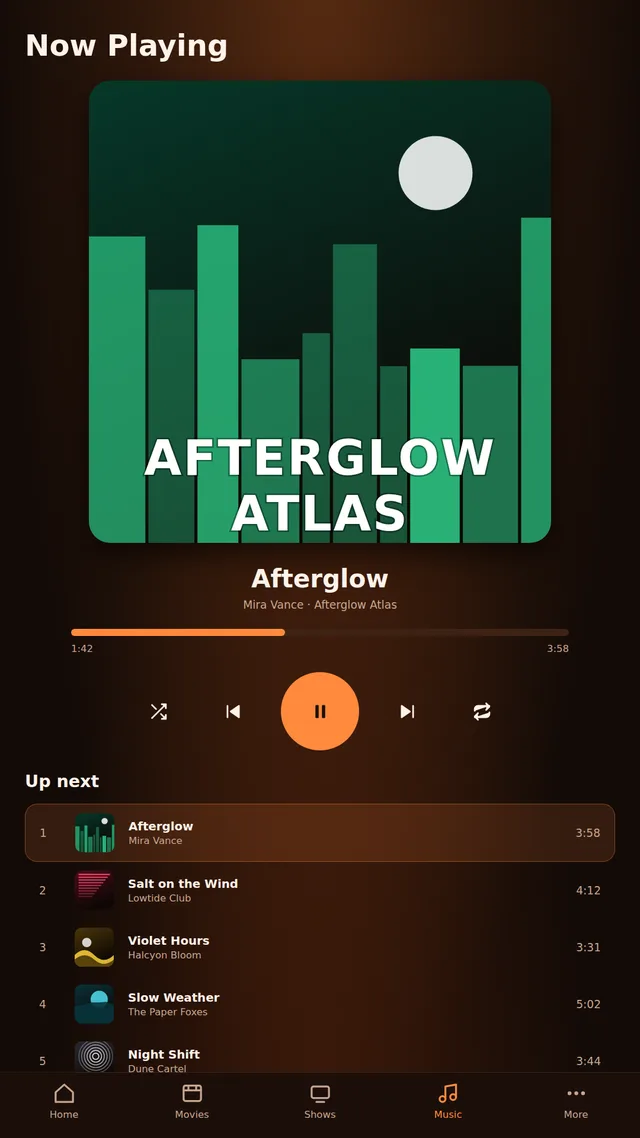
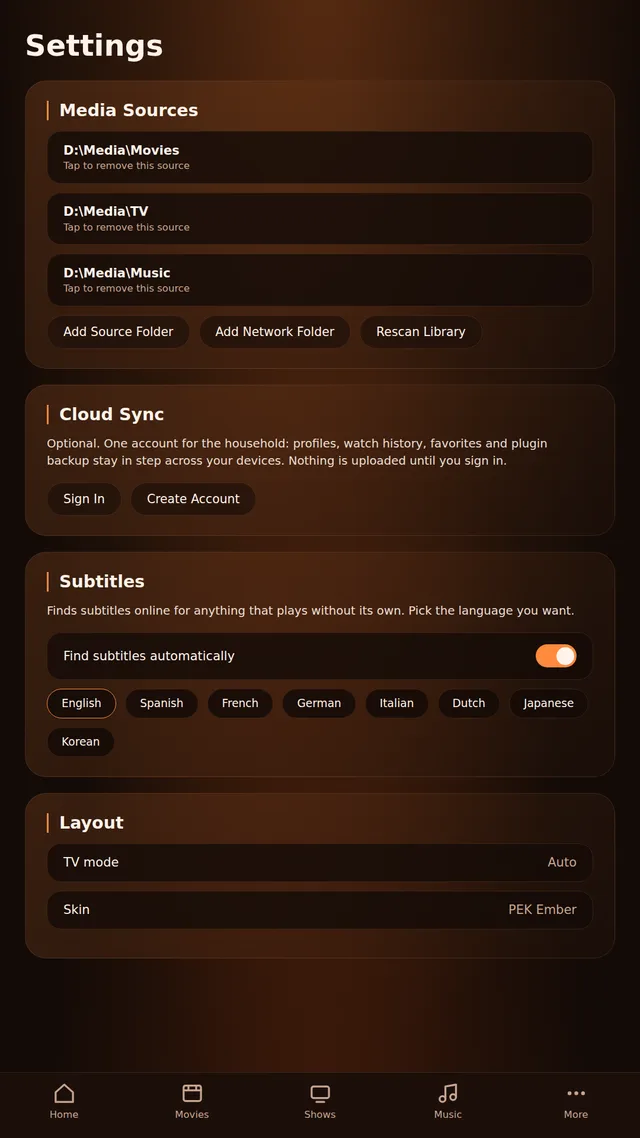
Tap any screenshot to enlarge. The posters, stills, album covers and titles are generated stand-ins with invented sample entries; real artwork is copyrighted by its owners and is not included.
Development roadmap
Where PEK TV has been and where it is going.
Coredone
C++ backend with embedded Python, Flutter UI, library scanner, NFO and artwork support, network sources.
Pluginsdone
Sandbox, permissions, the Python backend guard, install from .zip, then the three trust tiers (Official, PEK Store, GitHub).
Look and feeldone
Skins and the skin installer, the PEK Ember default look, TV mode.
Accountsdone
PEK Cloud: profiles, sync of history, resume points, favorites and settings; optional invite-only sign-up.
Player featuresdone
Automatic subtitles, Skip Intro / Skip Recap, Up Next, live sessions for TV plugins.
Musicdone
Albums, artists, songs, playlists and search, a Now Playing screen with queue and lyrics, a player bar, music mode, and background play on Android. Online art optional.
Traktdone
The Trakt plugin: scrobbling, history, ratings and favorites both ways, one Trakt account per PEK TV profile.
Nownow
Dashboard and TV polish, more official plugins, a growing PEK Store, and public documentation, which is this site.
Nextnext
Wider plugin APIs and a growing PEK Store.
More platformsnext
Windows, Linux and macOS. The Flutter UI and C++ backend are shared, so each new platform adds a runner folder and a build workflow next to
android/.
Documentation
Sixteen pages covering using, building, extending and self-hosting PEK TV.
Using PEK TV
Local metadata, music, subtitles and the FAQ.
Plugins & skins
Manifest, permissions, Python screens, hooks, the store.
Building
C++ backend, Android app, signing, CI.
Self-hosting
PEK Cloud and the PEK Store.